menus

slider

Showing posts with label Technology. Show all posts

Tuesday, 23 August 2016

BROTHERS OF MAN

Somewhere in the annals of history lies hidden the whereabouts of other brothers of man. Survivors of an advanced past civilization that managed to escape one of the most destructive periods in the history of our planet. Could the Voynich Manuscript, Stonehenge, or the Lost Continent of Atlantis that hold the clues as to where what would be our ancestors actually are? Nobody knows for sure especially when we discuss the tale of Atlantis. But, there have been too many archaeological surprises that always seem to occur to substantiate many theories of our history not to consider the impossible possible.
To this day many believe that man is not alone in the Universe. Scientific evidence supports the existence of planets that are more than capable of nurturing and supporting life as we know it. Planets in inhabitable zones orbiting around suns very similar to our Earth. Our planet just could actually be the cradle of life. What makes the Voynich Manuscript or the tale of Atlantis so fascinating is the fact that there has been only a certain amount of speculation to the existence of a pre antiquity advanced civilization. But, there again like the Holy Grail the Ark of The Covenant or other known lost artifacts just maybe man is not ready or capable yet of truly understanding the reason or purpose for their existence.
With the current realm of reality it is quite fathomable that had we uncovered say the Ark of The Covenant the greed and selfishness of man would only hasten our own demise. It is a very sad reality of our times when much can be said of societies priorities. Misguided, misplaced and outrageously superficial when we have here in the United States where we can raise billions of dollars for lotteries, have billionaires taunt the public with their so-called benevolence and charitable giving and a government still very inept in disaster relief, while millions right here in the US languish in quiet desperation hungry, homeless and ill.
What man continues to do in the name of social progress much of which contributes to the ever increasing turmoil our planet is experiencing is a testament to our inhumanity to the sanctity of life. And, yet through it all somewhere there is this hidden knowledge waiting to be tapped. But, first we have to realize even though we have made advances in technology, science, and medicine that there is still so much inequality through-out the world. It just could very well be mankind on Earth has not reached that point in time which would enable us to truly understand, rationalize and comprehend the knowledge that still lies hidden within the Earth's past.
It is more than possible that somewhere beyond the heavens the brothers of man could be very much like us in every way. They would, like us through-out our known history succumb to the same universal sins of our fathers. Incapable of avoiding mistakes of the past, repeating history in various forms just like we have and continue to do. Maybe that is why there is a history to our existence that will for some time lay hidden. Hidden until mankind is truly able to be more human. Until then the brothers of man are now trying to survive just like us somewhere out there, beyond the stars.
Source: http://ezinearticles.com/?Brothers-Of-Man&id=9299697

Thursday, 18 August 2016

HOW TO GET A GAME SERVER HOSTED

First of all what are game server providers, GSPs, and why do I need one? If, like me, you love playing games with your other online gaming buddies you generally play together online. You and your team need a playground that will provide the online space for you to. How and where does all that information get processed? There are two main methods.
The first is peer to peer. Peer to peer is a well established protocol of information sharing between willing computers. In the case of online computer games this is where one computer acts as the host (master computer if you like) and all other players' computers send their information to the master. This gives the player hosting the game a slight advantage in response time or lower ping and of course once that player leaves the game the server no longer exists as it was dependent on his connection, historically this has been referred to as a 'listen server'.
Dedicated Servers. Some games companies like Activision and EA provide their own online "official" or "ranked" dedicated servers where they have their own machines in their own data centre hosting official servers that they control and admin. Console games generally also have their own dedicated servers provided by the developers or peer to peer solutions in some cases as with Modern Warfare 2 and 3. But some servers are provided by individuals who like to have personal control over how their game server is setup. These come in two options. Either the individual has a rented or owned machine and hosts the game server themselves. The second option is to rent a dedicated game server from a large list of GSP's (game server providers) who for a small monthly charge can host your server for you 24 hours a day and have web based graphic user interfaces in order to start, stop, reinstall, edit configuration files, setup scheduled restarts, install mods and much more. This is in large part the most common choice as it is both cost effective and much easier to get started. Only basic knowledge is needed in order to host a server this way. That is why the GSP industry has grown to a 5 million dollar a year industry.
What are online servers?
A server is a machine running in a data centre (DC) with a high bandwidth connection to the internet and a redundant power supply to keep things online 24 hours a day, 365 days per year. This allows lots of players to connect to one place to all play together. GSP's host their game servers on machines in a data centre.
What is ping?
Ping is just an ICMP command that checks the time it takes for a packet of information to travel from one computer to another and back again. Ping is measured in ms or milliseconds which are thousandths of a second. A game server that is hosted within 300 miles of your physical location should provide you with a good latency to your game server.
Full Dedicated Server
I have heard of dedicated servers. What are these?
You can rent a full dedicated server, this gives you root access to a Windows Server machine via Remote Desktop Connection. This is for advanced users as setting up a game server using steamcmd and configuring the firewall can be a time consuming process but for large communities and clans this is the only option. Full control over your game servers, root access to all of the files, something you will never get with shared game server hosting. It comes with a cost though, around the $100 per month mark so get those donations flowing to pay for the hardware.
Shared Game Server Hosting
Renting through a GSP (game server provider) is the most common and the best bang for your buck way to run a game server. You choose a provider from the many 100's out there, choosing which provider to go with can be quite a daunting task. Here are the main points to consider.
· Price. Well price is king in most cases and a lot of gamers would have looked for the cheapest company in the top ten of Google and gone with them without even thinking about it. However choosing the lowest price is a haphazard way to choose any service, whether it be a plumber, an electrician or in this case a game server. You can choose the cheapest and take a punt, go for the most expensive and hope that translates into a quality service or if you're like me go for the middle ground, not too cheap and not too expensive. I use this practice when choosing everything, from toasters to hotel rooms. But price isn't the only factor to consider.
· Reputation. Reputation has an extremely strong influence in any decision on which service provider to use. There are game server companies that seem to of been around since the dawn of the internet age, and there are new unknown companies that have only formed in the past years. The older companies have seen it all before and maybe can get caught not putting the effort into the control panel functionality that a modern games and gamers demand. New vibrant young companies can be enthusiastic and energetic in their approach to both new game releases and support but they can also make mistakes and show a lack of experience in challenging support matters. The complicated nature of the newer indie games and steam early access games make it very difficult to get a smooth running game server so I would opt for the middle ground again, a company that's not too long in the tooth but also old enough to have experience where it matters.
What else does a GSP offer then?
There are also some other factors to consider when selecting a GSP:
· Control Panel Interface. This is a Graphic User Interface (GUI) where you control your game server from. Here you can launch the game, change the rules, add server passwords, add bans, allows, add administrators and add mods. This should be fast and easy to use. The industry standard is TCAdmin 2, but many providers have custom created control panels to reduce costs as TCAdmin can be rather pricy for enterprise companies.
· Support staff experience. The support staff has experience to set up the game to make is easier to play as lots of games nowadays have complicated set up procedures. A good GSP will have a configuration editor already configured in the GSP control panel so that you do not need to go and research all the information to edit the file yourself. The key is the better the staff the less problems will go wrong with your server once you have it.
· Mod installers. Some GSPs have mod installers where you can, in one or two clicks, completely install a mod to a game with all the required files without the need to upload via FTP. Again this is a setup that your GSP would/should have made themselves.
· 24 Hour support. I play games into the wee hours of the morning and business hours support is no good to me. I want 24 hour support and I want someone to get back to me pretty quick so I can get on with my gaming. I don't get a lot of free time and I don't want it wasted on staring at a broken server, even if I did broke it myself.
· Instant Setup. Most GSP's should have instant setup, in my experience this is not actually instant, instant start of the setup, not quite instant setup, the files need to download and some of these new games can be 20GB or more.
· Configuration editors. These are necessary for GSPs as many don't want to give access to the root folders and modify the configurations and .ini files as the player slots are generally directly related to CPU consumption so the more player slots you require the more the server will cost. A good configuration editor will make the setting up of your game server easier. The complicated nature of some of the recent indie games like DayZ and Ark Survival evolved require attention to detail in order to get running smoothly. Make sure to check that the GSP is up to date with all custom configurations as updates for these types of games come quite often and can break an out of date configuration. So making sure the GSP staff are keeping up with games is a good indicator of a good GSP. Any good GSP should be able to answer detailed questions about their games and if they don't what kind of support can you expect from them.


Article Source: http://EzineArticles.com/9356268

Friday, 5 August 2016

7 WAYS TO IMPROVE YOUR IPHONE BATTERY LIFE

Suffer from a dead iPhone battery by the time it gets to 4pm? Improving your iPhone's battery life is something many mobile users want to know about. When you use your mobile so often, and check it for almost everything in your day-today life, it can really drain the battery and possibly leave you with a dead phone- just when you need it most!
So, here are a few tips to prolonging and improving your iPhone battery life:
  1. Switch to Airplane mode when you don't need your phone - One of the biggest culprits for battery drain on iPhone batteries is a weak signal; your phone is constantly searching for signal and if you're in an area with poor signal, it can put a strain on your battery. You might consider switching Airplane mode on (Find it in 'settings'). If you're in a meeting, or travelling, then this is a good idea - just remember to switch it back to normal later or you won't receive calls. You should also try and use Wi-Fi instead of cellular data whenever possible.

  2. Get rid of background apps - You'd be surprised at how many apps are working in the background on your iPhone. Many work tirelessly sending you notifications and sucking your iPhone batteries away. You can double click your home key and the apps which are open will appear on your screen; simply swipe upwards on the app screens you don't wish to have running. Do this regularly - you'll be surprised at how many you will have open! You can also go to settings > notification centre, to choose the apps you don't want notifications from.

  3. Get rid of dynamic backgrounds - They look pretty at first, but moving or 'dynamic' backgrounds drain a lot of battery life. So choose a normal picture for your lock and home screen. Go to Settings > Wallpapers, then choose an image from your gallery or a stock image supplied.

  4. Receive your email manually - This tip depends on how much email you receive, and how often you want it syncing. If you only need to check emails every few hours, choose to have push emails rather than fetch. You can find the options to do this in Settings.

  5. Turn off Location Tracking - You usually don't need apps to know where you are constantly. So to stop this, go to Settings > Privacy > Location Services and turn them all off, or select specific apps you don't want to track you.

  6. Think about heat - Look after your phone. This means not leaving your iPhone lying in direct sunlight or in a lot of heat. If it gets hot when you're charging it, remove the case or any excess iPhone parts to allow it to cool down.

  7. Get a new battery - If you're finding the charge really rubbish on your iPhone batteries, you may consider buying a new one. This can really prolong the life of your phone. If you decide to do this, make sure you use iPhone genuine battery replacements when you're looking at Apple spare parts online. Only a true and genuine iPhone battery will be any good for your phone - so don't be fooled into thinking a mediocre unbranded battery would be just as good. It could harm your phone more than help it!
For Apple iPhone spares and genuine batteries, check out the http://www.Regizmo.com website; a leading UK supplier of original and high quality replacement parts for the Apple iPhone.


Article Source: http://EzineArticles.com/9182861

Monday, 1 August 2016

PRISMA APP FOR ANDROID NOW AVAILABLE ON GOOGLE PLAY STORE

If you love a good photo editing app and are an Android user, here is some good news. The developer of the hit iOS photo editing app Prisma has just announced its beta launch. If you’re thinking that you haven’t heard of Prisma, it could be because you have been busy playing Pokemon Go. So here’s a little background on what is becoming a worldwide photo editing phenomenon.

What is Prisma?

Prisma is a hit iOS app which originated in Russia and is able to turn any ordinary image or photo into a piece of digital art. As photo editing apps go, this one certainly has some unique features, and its developers are promising much more in the near future.

Prisma has been around for five weeks, and in that time, it has become the number one app in 40+ countries. And as of two hours ago, it had a staggering download count of over 7.5 million installs, which has generated a daily active user count of 1.5 million.

New features on the way

Alexey Moiseenkov, developer of Prisma, recently said that he has a lot of cool new features being worked on for the app. These will include a Prisma Video feature and lots of new styles which will enable a user to transform any photo into a serious piece of classic art. Personally, I think the possibility of 360-degree Prisma images is the most exciting future feature, and it’s certainly something I would be interested in using.

Prisma app for Android

Over the last few weeks, the frustration of Android users who wanted to get their hands on the Prisma app for Android has been rising. It may be the huge amount of people who have been openly vocal about wanting it that has pushed Moiseenkov to work on the Android version of Prisma.

In a recent Facebook post, Moiseenkov announced that Android users who wanted to get their hands on the app should sign up for the Prisma newsletter. This would give them the chance to be kept informed about the progress of the Android version’s development and also enable them to take part in field testing / beta testing.

How to sign up and get the beta

As of this writing, the team behind Prisma is giving away the app for free but it’s invite-only. A few users have already received the beta version of the app (which can be downloaded from below link). If you’re interested in getting your hands on the app, you will first have to sign-up for the newsletter, and after you have typed in your email and then validated your subscription, that should be it.

However, I don’t think this automatically entitles you to get the Prisma app for Android. I think it just puts you on a list of interested people and will allow you to try the beta before it appears on Google Play. If you understand that this doesn’t guarantee you will get the app, click here and head on over to the Prisma site and sign up for the newsletter.

UPDATE 2: The downloaded app from the above apk link is closed by Prisma developers. Here’s what the developers said on their official Facebook page, “A big thanks goes to everyone who has managed to try our beta for Android. We have collected enough feedback and had to close it. We’ll come back to you guys with an official launch on Google Play later this month. Thank you for your patience.”

UPDATE 3: Prisma Official App For Android Now Available To Download From Google Play

App Description:

Be an artist! Turn your photos into awesome artworks:

– Modern art filters!

– Stunning photo effects

– Fast sharing

Prisma transforms your photos into artworks using the styles of famous artists: Munk, Picasso as well as world famous ornaments and patterns. A unique combination of neural networks and artificial intelligence helps you turn memorable moments into timeless art.

Source: http://www.valuewalk.com/2016/07/download-prisma-app-for-android-link/

Tuesday, 19 July 2016

POKÉMON GO GAME

Travel between the real world and the virtual world of Pokémon with Pokémon GO for iPhone and Android devices. With Pokémon GO, you’ll discover Pokémon in a whole new world—your own! Pokémon GO is built on Niantic’s Real World Gaming Platform and will use real locations to encourage players to search far and wide in the real world to discover Pokémon. Pokémon GO allows you to find and catch more than a hundred species of Pokémon as you explore your surroundings.

The Pokémon video game series has used real-world locations such as the Hokkaido and Kanto regions of Japan, New York, and Paris as inspiration for the fantasy settings in which its games take place. In Pokémon GO, the real world will be the setting!

Get on your feet and step outside to find and catch wild Pokémon. Explore cities and towns around where you live and even around the globe to capture as many Pokémon as you can. As you move around, your smartphone will vibrate to let you know you're near a Pokémon. Once you've encountered a Pokémon, take aim on your smartphone's touch screen and throw a Poké Ball to catch it. Be careful when you try to catch it, or it might run away! Also look for PokéStops located at interesting places, such as public art installations, historical markers, and monuments, where you can collect more Poké Balls and other items.

Customize Your Trainer

When you first play Pokémon GO, you’ll get to customize the look of your Trainer, choosing apparel and accessories to give him or her a cool look. Your customized character will appear as you move around on the map, as well as on your profile page. Plus, other players will see your character when they visit a Gym you control.
Add to Your Pokédex

In Pokémon GO, you will gain levels as a Trainer, and at higher levels you will be able to catch more powerful Pokémon to complete your Pokédex. You'll also have access to more powerful items, such as Great Balls, to give you a better shot at catching Pokémon. Keep exploring and encountering Pokémon to raise your level!

There are other ways to add Pokémon to your Pokédex, too. If you catch the same species of Pokémon enough times, you’ll get the opportunity to evolve one of them! And as you explore, you may find Pokémon Eggs at PokéStops, which will hatch after you’ve walked a specific distance. When they hatch, you may find Pokémon you’ve never seen before!

Some wild Pokémon will appear only in certain places near where you live or around the world. For example, some Water-type Pokémon may appear only near lakes and oceans. If you're away from home, be sure to stay alert for Pokémon you wouldn't normally encounter!

If you catch the same species of Pokémon enough times, you can evolve one of them. This is useful for catching Pokémon you’re having a tough time finding in the wild. For example, if there are large numbers of Poliwag in your area, but no Poliwhirl nearby, catch a lot of Poliwag to eventually gain the ability to have one of them evolve into a Poliwhirl!

Join a Team and Battle

At a certain point in the game, you’ll be asked to join one of three teams. Once you join a team, you’ll gain the ability to assign Pokémon you’ve caught to open Gym locations or to a Gym where a team member has assigned a Pokémon. Like PokéStops, Gyms can be found at real locations in the world. Each player can place only one Pokémon at a particular Gym, so you’ll need to work together with other members of your team to build up a strong defense.

If a rival team has claimed a Gym, you can challenge it by using Pokémon you’ve caught to battle the defending Pokémon. Battles are challenging and fun. You choose which of your Pokémon will join in. Each Pokémon has two attacks, and can also dodge the defending Pokémon’s attacks if you swipe left or right. If your Pokémon win the battle, then the Gym’s Prestige is reduced. When the Gym’s Prestige drops to zero, the defending team loses control of the Gym, and you or another player can then take control of it by assigning a Pokémon to defend it.

Once your team has control of the Gym, team members can increase the Gym’s Prestige and level by battling the defending Pokémon. These training battles against your own team help your Pokémon level up as well. As the Gym gets to a higher level, your team can assign more Pokémon to defend it. You can also team up with your friends and battle at a rival Gym together to take down stronger Gyms faster.

You can tackle a wide variety of challenges in different categories, such as catching Pokémon and exploration. By completing these challenges, you’ll unlock achievement medals that will appear in your player profile. Try your best to unlock as many medals as you can!

Pokémon GO Plus

A portable device called the Pokémon GO Plus will enable Pokémon GO players to enjoy the game even while they’re not looking at their smartphones. The device connects to a smartphone via Bluetooth and notifies the player about events in the game—such as the appearance of a Pokémon nearby—using an LED and vibration. In addition, players can catch Pokémon or perform other simple actions by pressing the button on the device. Look forward to the launch of the Pokémon GO Plus accessory in late July 2016.

Free to Play

Pokémon GO is available for download at no charge on the App Store and Google Play. Pokémon GO is free to play, with loads of fun things to do and Pokémon to discover at every turn. For players who want to enhance their Pokémon GO experience even more, certain items and features can be accessed via in-app purchases. Players can spend real money on PokéCoins, the in-game currency of Pokémon GO. PokéCoins can then be exchanged for power-ups, extra items, and other enhancements.

Photo Fun

When you encounter a Pokémon in the wild, you can turn on the camera feature, putting the wild Pokémon into the live scene where your camera is facing. Then capture the moment with the in-game camera you can find in your Bag. Line up your shot and hit the shutter button to take the photo. The snapshot will then be saved to your smartphone’s photos for you to share however you’d like.

Music by Junichi Masuda

Pokémon GO will feature all-new music composed by GAME FREAK’s Junichi Masuda. Mr. Masuda has worked on Pokémon games since the very beginning and has composed many of the classic and memorable songs that have inspired fans for decades.

Soruce: http://www.pokemon.com/us/pokemon-video-games/pokemon-go/

Friday, 27 May 2016

PARTS OF A MOTHERBOARD AND THEIR FUNCTION

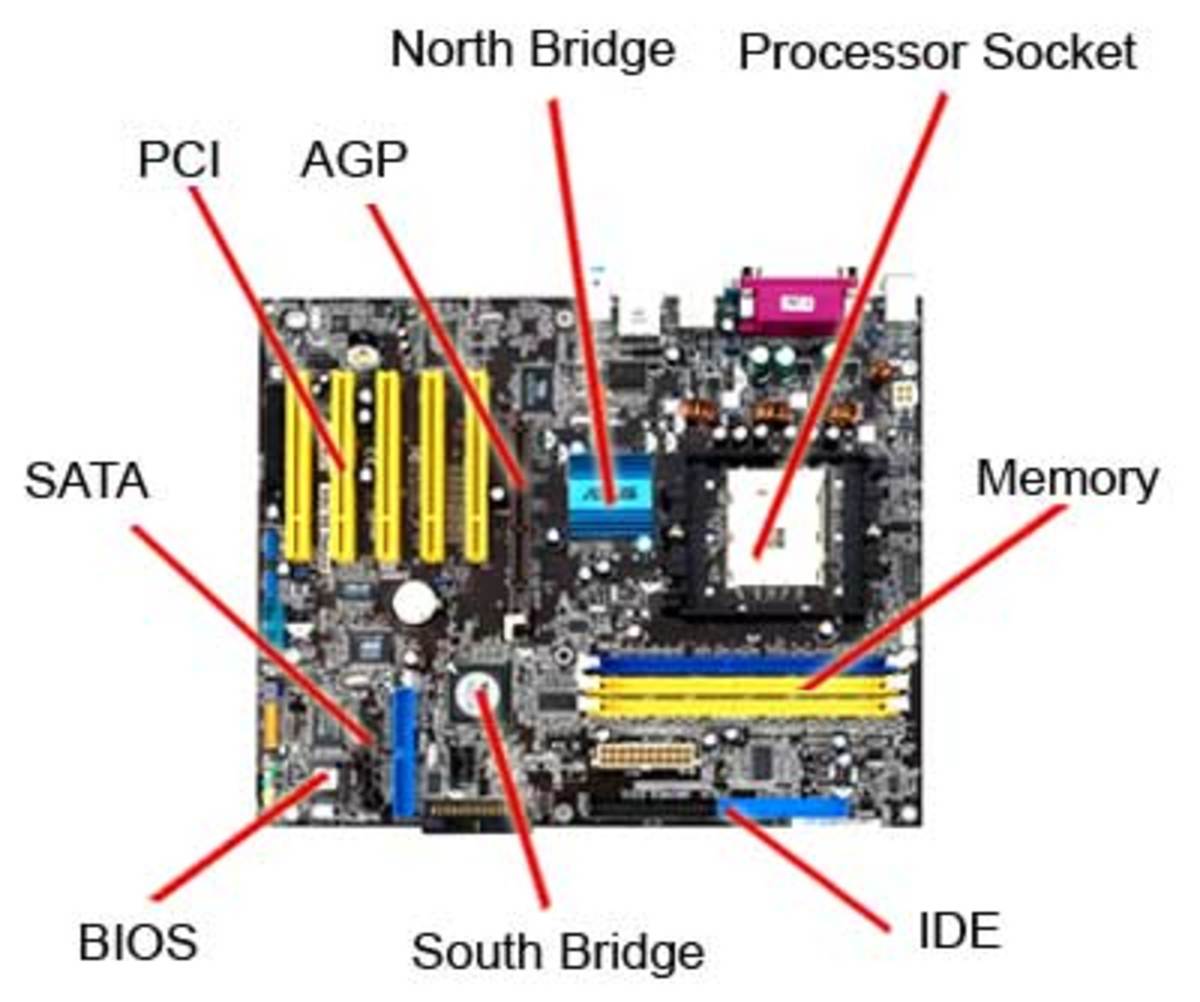
Some of the major components of a motherboard.
The main printed circuit board in a computer is known as the motherboard. Other names for this central computer unit are system board, main board, or printed wired board (PWB). Motherboard is sometimes shortened to Mobo.
Numerous major components, crucial in the functioning of the computer, are attached to the motherboard. These include the processor, memory, and expansion slots. The motherboard connects directly or indirectly to every part of the PC.
The type of motherboard installed in a PC has a great effect on a computer's system speed and expansion capabilities.

Major Motherboard Components and Their Functions

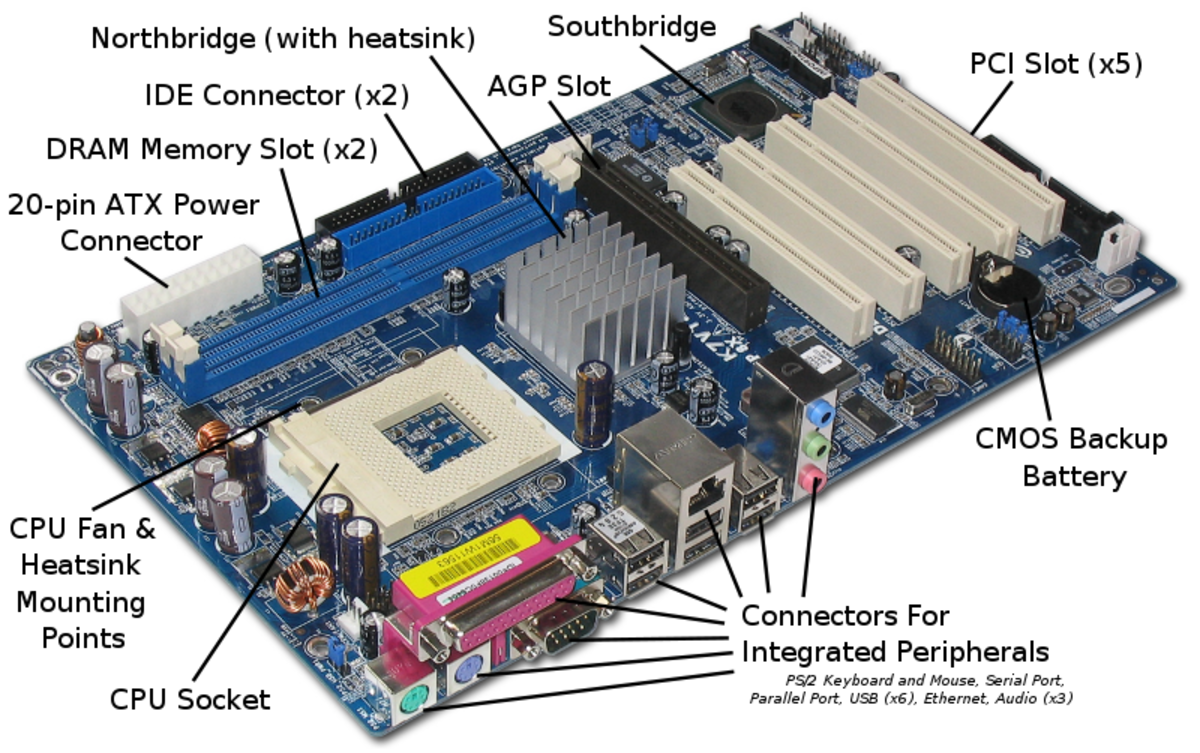
A labeled ASRock K7VT4A Pro Mainboard.
A labeled ASRock K7VT4A Pro Mainboard. | Source

Central Processing Unit (CPU)

Also known as the microprocessor or the processor, the CPU is the computer's brain. It is responsible for fetching, decoding, and executing program instructions as well as performing mathematical and logical calculations.
The processor chip is identified by the processor type and the manufacturer. This information is usually inscribed on the chip itself. For example, Intel 386, Advanced Micro Devices (AMD) 386, Cyrix 486, Pentium MMX, Intel Core 2Duo, or iCore7.
If the processor chip is not on the motherboard, you can identify the processor socket as socket 1 to Socket 8, LGA 775 among others. This can help you identify the processor that fits in the socket. For example, a 486DX processor fits into Socket 3.

Random Access Memory (RAM)

Random Access Memory, or RAM, usually refers to computer chips that temporarily store dynamic data to enhance computer performance while you are working.
In other words, it is the working place of your computer, where active programs and data are loaded so that any time time the processor requires them, it doesn't have to fetch them from the hard disk.
Random access memory is volatile, meaning it loses its contents once power is turned off. This is different from non-volatile memory, such as hard disks and flash memory, which do not require a power source to retain data.
When a computer shuts down properly, all data located in RAM is returned back to permanent storage on the hard drive or flash drive. At the next boot-up, RAM begins to fill with programs automatically loaded at startup, a process called booting. Later on, the user opens other files and programs that are still loaded in the memory.

Basic Input/Output System (BIOS)

BIOS stands for Basic Input/Output System. BIOS is a "read only" memory, which consists of low-level software that controls the system hardware and acts as an interface between the operating system and the hardware. Most people know the term BIOS by another name—device drivers, or just drivers. BIOS is essentially the link between the computer hardware and software in a system.
All motherboards include a small block of Read Only Memory (ROM) which is separate from the main system memory used for loading and running software. On PCs, the BIOS contains all the code required to control the keyboard, display screen, disk drives, serial communications, and a number of miscellaneous functions.
The system BIOS is a ROM chip on the motherboard used during the startup routine (boot process) to check out the system and prepare to run the hardware. The BIOS is stored on a ROM chip because ROM retains information even when no power is being supplied to the computer.

Complimentary Metal Oxide Semiconductor Random Access Memory (CMOS RAM)

A CMOS battery.
A CMOS battery.
Motherboards also include a small separate block of memory made from CMOS RAM chips which is kept alive by a battery (known as a CMOS battery) even when the PC’s power is off. This prevents reconfiguration when the PC is powered on.
CMOS devices require very little power to operate.
The CMOS RAM is used to store basic Information about the PC’s configuration for instance:-
  • Floppy disk and hard disk drive types
  • Information about CPU
  • RAM size
  • Date and time
  • Serial and parallel port information
  • Plug and Play information
  • Power Saving settings
Other Important data kept in CMOS memory is the time and date, which is updated by a Real Time Clock (RTC).

Cache Memory

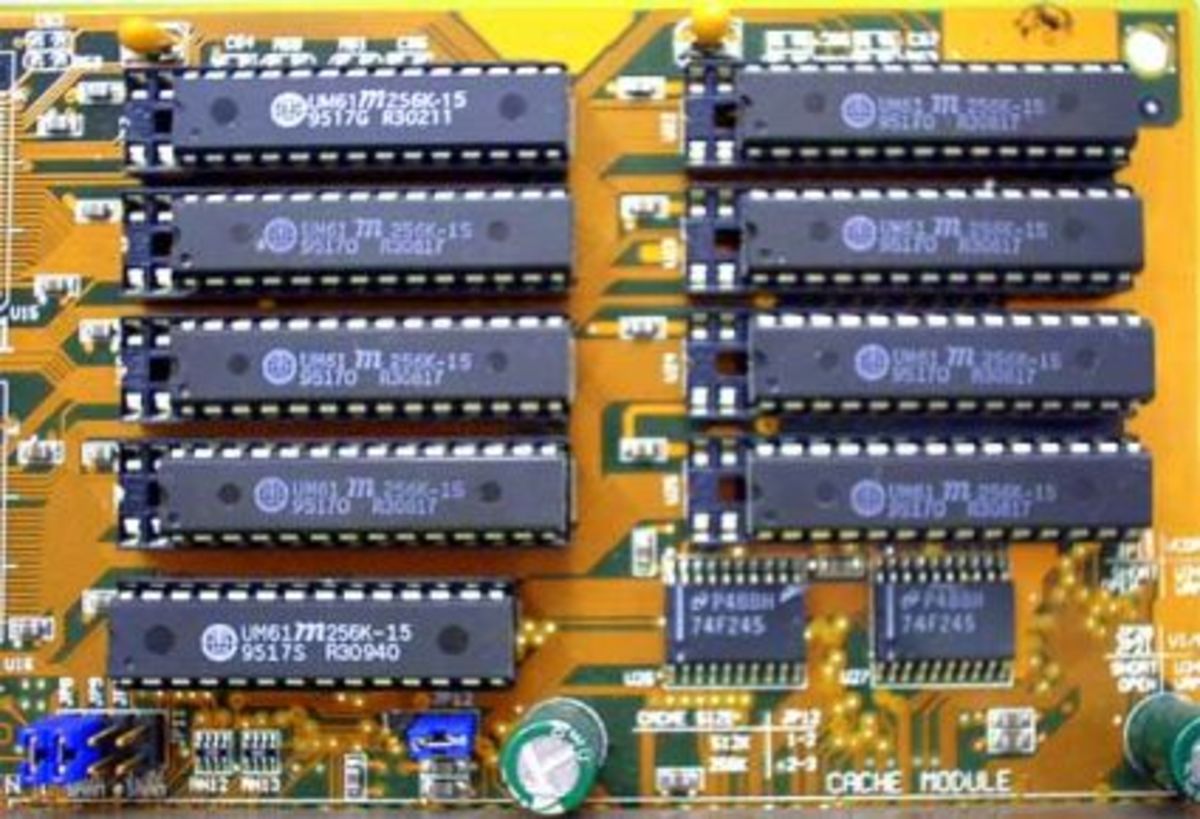
L2 cache on an old motherboard.
Cache memory is a small block of high-speed memory (RAM) that enhances PC performance by pre-loading information from the (relatively slow) main memory and passing it to the processor on demand.
Most CPUs have an internal cache memory (built into the processor) which is referred to as Level 1 or primary cache memory. This can be supplemented by external cache memory fitted on the motherboard. This is the Level 2 or secondary cache.
In modern computers, Levels 1 and 2 cache memory are built into the processor die. If a third cache is implemented outside the die, it is referred to as the Level 3 (L3) cache.

Expansion Bus

PCI slots.
PCI slots.
An expansion bus is an input/output pathway from the CPU to peripheral devices and it is typically made up of a series of slots on the motherboard. Expansion boards (cards) plug into the bus. PCI is the most common expansion bus in a PC and other hardware platforms. Buses carry signals such as data, memory addresses, power, and control signals from component to component. Other types of buses include ISA and EISA.
Expansion buses enhance the PCs capabilities by allowing users to add missing features in their computers by slotting adapter cards into expansion slots.

Chipsets

A chipset is a group of small circuits that coordinate the flow of data to and from a PC's key components. These key components include the CPU itself, the main memory, the secondary cache, and any devices situated on the buses. A chipset also controls data flow to and from hard disks and other devices connected to the IDE channels.
A computer has got two main chipsets:
  • The NorthBridge (also called the memory controller) is in charge of controlling transfers between the processor and the RAM, which is why it is located physically near the processor. It is sometimes called the GMCH, for Graphic and Memory Controller Hub.
  • The SouthBridge (also called the input/output controller or expansion controller) handles communications between slower peripheral devices. It is also called the ICH (I/O Controller Hub). The term "bridge" is generally used to designate a component which connects two buses.
Chipset manufacturers include SIS, VIA, ALI, and OPTI.

CPU Clock

The CPU clock synchronizes the operation of all parts of the PC and provides the basic timing signal for the CPU. Using a quartz crystal, the CPU clock breathes life into the microprocessor by feeding it a constant flow of pulses.
For example, a 200 MHz CPU receives 200 million pulses per second from the clock. A 2 GHz CPU gets two billion pulses per second. Similarly, in any communications device a clock may be used to synchronize the data pulses between sender and receiver.

A "real-time clock," also called the "system clock," keeps track of the time of day and makes this data available to the software. A "time-sharing clock" interrupts the CPU at regular intervals and allows the operating system to divide its time between active users and/or applications.

Switches and Jumpers

  • DIP (Dual In-line Package) switches are small electronic switches found on the circuit board that can be turned on or off just like a normal switch. They are very small and so are usually flipped with a pointed object, such as the tip of a screwdriver, a bent paper clip, or a pen top. Take care when cleaning near DIP switches, as some solvents may destroy them. Dip switches are obsolete and you will not find them in modern systems.
  • Jumper pins are small protruding pins on the motherboard. A jumper cap or bridge is used to connect or short a pair of jumper pins. When the bridge is connected to any two pins, via a shorting link, it completes the circuit and a certain configuration has been achieved.
  • Jumper caps are metal bridges that close an electrical circuit. Typically, a jumper consists of a plastic plug that fits over a pair of protruding pins. Jumpers are sometimes used to configure expansion boards. By placing a jumper plug over a different set of pins, you can change a board's parameters.
Source: http://hubpages.com/technology/the-motherboard-components

Sunday, 22 May 2016

iPhone UNLOCK

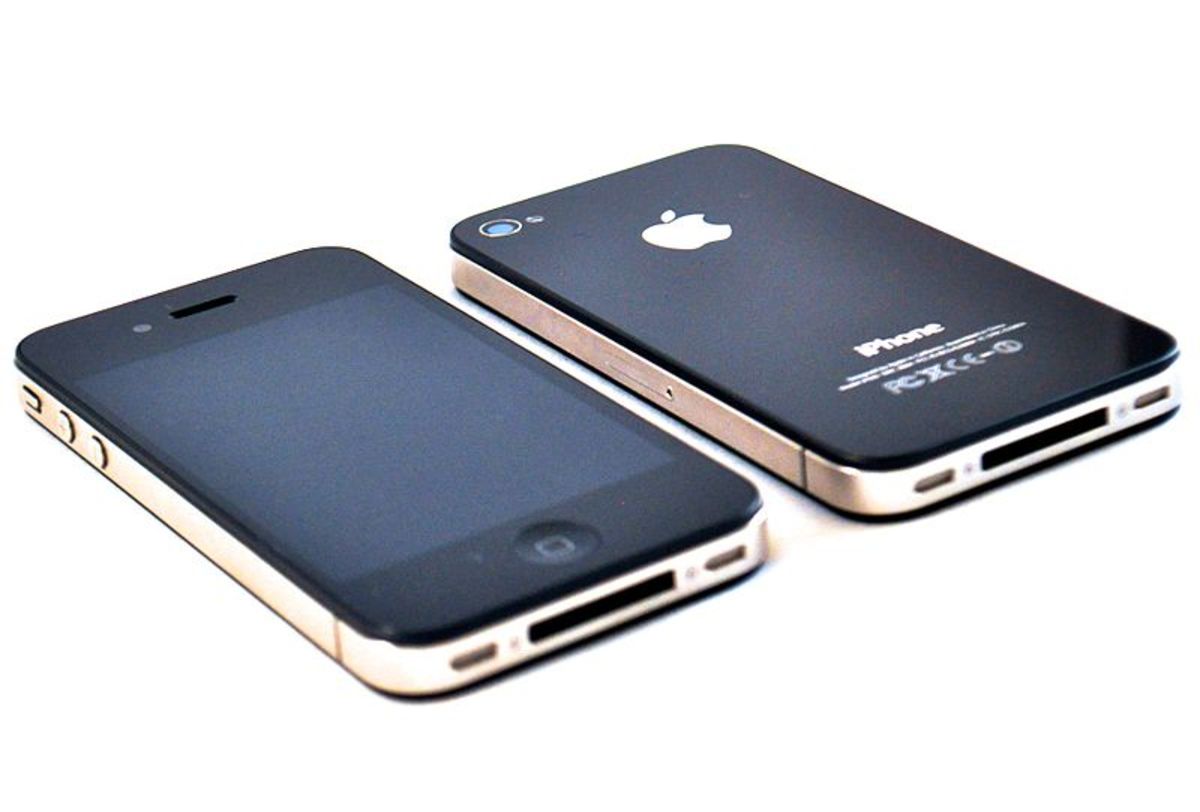
iPhone 4If you want to unlock your iPhone, there are a few ways to go about doing so. If you've been faithful to your contract, you may be able to do so via your carrier network or through a network-authorized service. However, if you can't unlock through your carrier, you can unlock using a third-party program. 
Third-party unlockers covered in this article are:
  • Ultrasn0w unlock from Cydia: Ultrasn0w has been around as long as iPhones have existed but is limited to jailbroken iPhones and compatible basebands up to iPhone 4.
  • Gevey SIM unlock: A hardware exploit that relies on specialized SIM tray interposer. You do not have to jailbreak your iPhone to use this.
  • R SIM interposer: An alternative to Gevey SIM and also not limited to jailbroken phones.
  • iPhone IMEI number: This is the best unlock procedure for any iPhone model, baseband or iOS. Any service that offers iPhone unlock using an IMEI number provides a permanent or factory unlock.
  • SAM ticket: Reliant on tickets that have been saved when using SAM unlock.
The easiest way to unlock a phone will always be through your carrier or a service they authorize. Look up your carrier on Apple's support site and see which carriers have unlocking services. Assuming you paid for your phone in full, the network should help get your iPhone unlocked for free or a small fee.

Finding Your iPhone's Baseband

Whether or not an unlocker can unlock your phone relies in part on what your phone's model and baseband are. Finding your iPhone model is a no-brainer, but it's possible you have no idea what your baseband is. The baseband, in short, is the computer in your iPhone that deals with broadcast functions, or anything that requires an antenna.
To figure out which baseband is in your iPhone:
  • Tap Settings > General > About.
  • Scroll downwards until you see Modem Firmware.
  • The numbers after Modem Firmware represent the baseband of your iPhone.

Ultrasn0w

Use for iPhones 3G and 3GS, and some iPhone 4 basebands.
Ultrasn0w (or Ultrasnow) is a free unlocking software. Unfortunately, it does not deliver a permanent unlock, but will work well when other unlock solutions aren't viable.
  • You will be surprised to find out that many 3GS and 3G models still use Ultrasn0w. Thankfully, these work well enough and the fear of bricking these iPhone models does not exist anymore given Apple's signing rules.
  • Practically all iPhone 3GS, 3G and relevant iOS firmware and basebands are compatible with Ultrasn0w. The same cannot be said about iPhone 4 models, however, for which only some basebands are compatible with Ultrasn0w.
  • Ultrasn0w SIM unlock is only possible in jailbroken iPhones via Cydia. The exploit supports iPhone 4, 3GS, and 3G.
  • iPhone 4S and all iPhones 5 and 6 models are yet to be supported, though the possibility is unlikely. Software unlocks have ceased since iPhone 4 and none of the famed software unlock teams have shown interest in ever walking this path again.

Ultrasn0w-Compatible iPhone Models and Basebands

Most older iPhone models and basebands can be unlocked using Ultrasn0w.
Check the list below to see the supported and unsupported iPhone models and basebands:
iPhone 3GS & 3G
  • 04.26.08
  • 05.11.07
  • 05.13.01
  • 05.12.01
  • 06.15.00
iPhone 4
  • 01.59.00
iPhone 4S: No Ultrasn0w support!
iPhone 5 (all): No Ultrasn0w support!
iPhone 6 (all): No Ultrasn0w support!

How to Use Ultrasn0w

If you're phone is compatible and you are ready to go, start by jailbreaking and installing Cydia. Ultrasn0w unlock is only possible in jailbroken iPhones.
  1. Be sure your phone is connected to wireless internet.
  2. Activate your iPhone.
  3. Jailbreak your phone using Jailbreak Me. Follow these iPhone jailbreak instructions in order to have your iPhone jailbroken and then install Cydia.
  4. The above jailbreaking method will automatically install a Cydia app.
  5. Select the Cydia icon, and follow the commands to unlock. You may have to conduct some upgrades.
  6. When everything is loaded, search for Ultrasn0w in your search bar and select it.
  7. Let the program run and reboot your device when commanded to do so.
  8. Take your SIM card slot pin and pop out the micro-SIM, replace with your new carrier's micro-SIM.

Important! Preserve Your Basebands

If your iPhone contains any of the basebands listed above, be sure to preserve it every time you restore to another IOS firmware. Every iPhone baseband is upgraded automatically every time you restore your iPhone firmware. You can preserve your baseband by using Redsn0w and other jailbreak tools, or by customizing the IOS firmware.
If by mistake you upgrade your baseband to anything other than what is listed above, you will lose the ability to unlock the iPhone with Ultrasn0w.

Gevey SIM Interposer

Best for iPhones 4 and 4S.
Gevey SIM unlock has been around for quite some time. It's one of the best alternatives to Ultrasn0w, especially when the Ultrasn0w software exploit fails. It 's not a permanent unlock, but will suffice where factory unlock is not available.
Gevey SIM unlock makes use of a specialized hardware interposer: A SIM tray that sits between the hardware baseband of the iPhone and the carrier SIM and performs a Man In The Middle Attack (MITM, see image below). By taking advantage of a few exploits it makes your new SIM relevant to a carrier locked iPhone.
An iPhone unlocked with a Gevey interposer works out of the box with any carrier network SIIM card and does not require the iPhone to be jailbroken.
Unfortunately, Gevey sim unlock is only possible up to iPhone 4S.
A sample Gevey SIM tray interposer which is placed under the unssurpoted SIM card.

Which Basebands Are Compatible

Gevey SIM unlocks are effective in the older iPhone 4 basebands listed here:
  • 4.10.01
  • 3.10.01
  • 2.10.04
  • 59 2.10
  • 4.11.08
  • 4.12.01
And the following iPhone 4S basebands:
  • 2.0.12
  • 2.0.10
  • 1.0.14
  • 1.0.13
  • 1.0.14

R-SIM Interposer

For iPhone 4S and all 5 models.
R-SIM interposer is a popular method to unlock iPhone 4S and 5 models, picking up where the Gevey sim interposer stopped. Versions 7, 8, and 9 will also unlock iOS 7 models.
This interposer can also be used to activate stubborn iPhones, especially those from Sprint.
Sample R -SIM 7+ interposer for iPhone unlock.

How to Use

Unlocking the iPhone with an R-SIM interposer is simple:
  1. Place your new macro SIM (iPhone 4 or 4S) or nano SIM (iPhone 5) onto the interposer tray.
  2. Slide the tray back into the iPhone and follow the simple instructions that follow.
  3. You will be prompted to restart your iPhone to complete the unlocking process.

Problems Unlocking Sprint iPhones

You may encounter issues when activating and unlocking Sprint phones. In case this happens, the voice calls will function normally but SMS and data services may not.
To solve the problem, you will have to download the free activation patch application and buy an activation code from the R-SIM website.

IMEI Number

Factory unlock for almost all iPhones.
Also called iPhone factory unlockthe unlock via IMEI number is the ultimate permanent unlock. Apple sanctions factory unlocks through its carrier partners.
Read through this list of carrier networks offering a variety of Apple-related services. One of the services includes unlocking the iPhone. Cross-check with your relevant carrier network for pre-qualification and then proceed with the rather brief instructions to back-up your apps and data before unlocking the iPhone.
This unlock only works if you have fulfilled the following conditions:
  • You should be a customer with an Apple carrier partner and your account must be in good standing, with your phone bills paid.
  • You can unlock your iPhone with AT&T even if you are not a customer with them, as long as you have completed your old contract or if you purchased your iPhone with no contract.
  • One other important caution is that you must be sure that your iPhone is not stolen or blacklisted. A stolen iPhone that was reported to relevant carrier network will be discovered and you can get into trouble for it.

Check the iPhone IMEI Number

You can find the IMEI number of your iPhone in a number of ways. This is the easiest:
  1. Type *#06# on the dial screen.
  2. Your IMEI number will appear in a flash.

Factory Unlock Websites for iPhone

If you wish to unlock your iPhone using the IMEI number be warned of scam websites out there and proceed at own risk. I have listed a few websites which have received recommendations from many users, but do not take my word for it. Always proceed with caution.
  1. Chronicunlocks
  2. GSMunlocking
  3. MyIMEI unlock
  4. iPhoneIMEI dot net unlock
  5. AT&T
The iPhone Wiki maintains lists of hundreds of fake unlocking and jailbreaking sites. You may want to visit it and stay above the scam threats.

SAM Ticket

SAM Unlock was an exploit that worked perfectly until April 2012, when it was patched by Apple.
Despite this, many informed users who installed SAM in their iPhones saved SAM tickets using Cydia. Having the tickets already installed enabled users to unlock their iPhones even after upgrading their iOS firmware. Those who saved their tickets can still, and will always be able to unlock their iPhones using this exploit.
SAM only works in jailbroken iPhones. The usual advice is that you should never upgrade to any iOS which does not have a jailbreak if you depend on SAM
Source: http://hubpages.com/technology/How-to-Unlock-iPhone-4-Using-Ultrasnow-iPhone-IMEI-and-Gevey-Sim-Tool

Sunday, 1 May 2016

NEGOTIATING CAR PRICE

Nowadays, when it comes time to buy a vehicle, we really do have a lot working in our favor, and a lot of resources at our disposal. There are multiple websites we can use to browse prices, deals, factory rebates, regional discounts—the whole gamut. When buying a vehicle, most consumers can be pretty well informed. But can they deal? Can you wheel and deal with a pro?
Even armed with the Kelly Blue Book values and the Edmunds "True Market Value," and having looked at a million deals online and in the classifieds, when it comes down to it, and you're sitting face to face with a professional car salesperson who haggles every single day, multiple times a day—do you have the gall to haggle with him?
When he says "I'm sorry, but that's what the car's worth," do you have what it takes to say, “You’re wrong?” I'm inclined to think that many do not.

Negotiating Down From the MSRP

You will inevitably wonder: What is a good price for this vehicle? What is a reasonable offer?
Suppose the vehicle’s MSRP—manufacturer’s suggested retail price—is $35,000, and I offer $25,000, what might happen? Are they going to laugh in my face, take away the beverage they graciously offered me, and have security escort me from the dealership?
Probably not. They probably won't offer you a $10,000 discount either, but they probably won't kick you off the lot.

Negotiating Makes Me Feel Funny. Isn't the Price on the Car the Actual Price?

It shouldn't. And, no, it's not.
Purchasing a new vehicle is not just a big expense, but an investment, and it is definitely a negotiable endeavor.
Certain purchases are non-negotiable. Like when you walk into Walmart, you can’t walk up to the guy and say, "Hey, I know that TV has a $2,000 price tag, but I'll give you $1,500 for it." They will simply say “No.” and let you walk. Same thing at the supermarket, and so on. They know someone will be along in the next minute paying the posted price.
But when you're spending tens of thousands of dollars on something, you better believe you should be negotiating, and they DO NOT want to let you walk.

What is the Function of a Car Salesman? What Is His Goal?

Many people think his goal is to sell vehicles. Wrong!
Selling vehicles is a given at a car or truck dealership. The salesperson wants more than that.
The goal of the car or truck salesman is to make the dealership the most profit possible, while also satisfying the customer. This might seem like a subtle point, but the distinction is important.
Conversely, what is the purpose of the buyer? What is his goal? Is it to acquire a new vehicle? No. That's a given. The buyer's goal is to negotiate the most favorable deal on the vehicle possible.
"Profit" is not a dirty word. Remember that. Don't be bitter, or feel disenfranchised, or get upset that the dealership is going to make money off your purchase, and that the salesman is going to benefit from your sale. Be happy, because it’s quite possible that you can get a good deal, and at the same time the dealership can make money, and the salesman can make a living. There can be a real balance here.
"Excessive profit" is definitely a dirty word. Excessive profit takes equity away from the buyer. No matter what, you want to avoid negative equity as much as possible.
I'm sure many of you have heard, or will hear, from a salesman, that your new vehicle is "an investment". They will use that word “investment” as a way to persuade you to purchase certain upsells, like warranties, roadside assistance packages, leather seats, accessories, insurance, and all sorts of other stuff. And a new vehicle can absolutely be an investment, for several reasons, but it’s a low-quality investment if you pay too much for it: if you get taken on the purchase price, gutted on your trade-in, and wheeled all the way into the driver's seat by paying MSRP for a new vehicle and accepting the KBB value for your trade. Read on.

What Is MSRP, Anyway?

MSRP is an acronym that stands for Manufacturer's Suggested Retail Price. This number is decided by the manufacturer—NOT the dealer.
The MSRP serves as a starting price for negotiations. Sometimes the dealer will post an "Invoice" price for the vehicle underneath the MSRP and use this as a selling point.
An exchange like the following is common ...
"Look at the invoice price," says Frank, of Bayside Toyota. "We're only making a few hundred dollars selling you this car at this price, and plus, you're getting almost one thousand dollars off MSRP."
"Oh," says Sally, as she fondles her hair nervously. "That's not too bad. I guess you can't really do much better than that, right?"
Frank smiles, thinking to himself, Excellent. We're done negotiating."Exactly. You know you're getting a good deal, and we've got to make a little something on the vehicle ..."
What Sally doesn't know is that Bayside Toyota gets a $2,000 rebate from the manufacturer every time they sell a vehicle like this. Plus, the Southeast Division of Toyota Dealerships rewards Bayside Toyota with another $3,000 of dealer cash incentive each time they sell a vehicle like this. Plus, this sale puts Bayside one vehicle closer to their corporate-mandated quota and dealer bonus check. Plus, they charge a $599.99 dealer fee (or something similar) on top of that.
Even at invoice price, the dealership might have anywhere between $2,000 and $4,000 dollars of profit to work with on a new vehicle. So imagine their margin at MSRP.

Strategies for Negotiating for a Car or Truck

You need strategies, because they have lots of strategies for how to sell to you. Some salesmen are highly trained salesmen, others are natural salesmen, and others are just going through the motions to feed their kids, but in general, salespeople have experience, knowledge, and a LOT of tricks of the trade.
What do you have? It better be more than jeans, a t-shirt, and some crumpled notes stuffed in your front pocket!
Here’s your plan:
1. Use the Internet
  • Shop your vehicle on the various consumer sites
  • Know what vehicle you want
  • Know the MSRP
  • Know the various options you want, which ones are most important, and what they cost (roughly)
  • Find enthusiast forums for the vehicle you're about to purchase, join the forum, tell them what you're doing, and ask for tips and hints. You'd be amazed what people in these places know about the industry!
  • Research your old car too, your trade-in. Know ALL THREE Kelly Blue Book values: Private Party, Dealer Trade-In, and Retail.
2. Know What You Can Spend
This seems like an obvious one, but whatever you do, DO NOT show up at the dealer without having firmly decided, yourself, "what your monthly payment could be.” This is a bear trap, and you will lose your leg.
3. Have Your Money
Deal with your own bank or credit union when it comes to financing. DO NOT go through the dealer. They use the terms of the loan as a bargaining trick, a price slider to confuse you, and in many cases they will mark up the interest rate they get from the lender.
Show up at the dealership with a Pre-Authorized Draft (a blank check from your bank, basically) and know that you are in charge.
Why are you in charge? Because you have the money.
I can just hear it now ... “But they have the car I want!” No. They have a car, a car that you want, and that they really want to sell you.
4. Be Upfront About Some Things
They will play psychological games with you. They're sizing you up, trying to figure you out, and trying to get you emotional about your purchase. Stay cooperative and down-to-earth. Let them know your intentions, and be honest about some facts. Tell them your name, and what you're looking for, and answer any general questions they might have.
  • For example, "I am going to buy a Toyota Camry today," is an honest statement. It clearly shows your intentions, and answers an unspoken question the salesman has: Is this person buying, or just shopping? Think about it. If a salesman is trying to make a profit, and he thinks he is getting shopped, are is he going to offer his best discounts? Probably not. He offers his best deals when he knows a purchase is going to happen.
  • "I'm working with several dealers right now, and I just want to be upfront about that. And, so far, I'm enjoying working with you." The first half of this statement had better be true, or I'm going to be VERY disappointed in you. If the second half of this statement is not true, do not buy from this dealership!
5. But Don't Show Your Hand
  • Don’t get swept away right off. Supposing he shows you the vehicle of your dreams. It's perfect, it’s amazing. You think, “I NEED IT!” But what should you say? Something like, “OK, I see it comes with leather seats . . . that's pretty nice. The color is okay, not the exact color I was thinking. Not bad." Do yourself a favor and do NOT gush over the vehicle and beg to drive it. Wait for the salesman to offer the test-drive. You want to appear logical, calculating, and in control the whole time. Someone who is emotional is more inclined to throw logic to the winds. And they know this, and feed off of it.
  • Be ready for this question, which they will definitely ask: "So what are you looking to spend?" Here, you have the advantage, because you know the answer. You know what you can spend, and you know what you want to spend. And they have nothing; that's why they’re asking the question. So don’t give up all you have unnecessarily.. If you can spend $25,000 to $30,000—the former being what you’d like to spend, and the latter pretty much breaking the bank—tell the salesman something like this. “Well, I really like this model, and this year, but this [other] model has this option that I really like. And you know, I'd like to come in right around twenty-two or twenty-three, depending on options and availability."
6. All the While, Watch the Numbers Carefully
Be ready with a pad of paper, and the whole time you’re in that cubicle working that deal, write down the numbers they tell you. You need to know the current figure of every number any time anything changes. That’s so they cannot inflate your trade allowance, and stuff it into the MSRP or the purchase price. Here are the typical numbers you need to be tracking:
  • MSRP (generally includes options, processing, and destination fees)
  • Discounts
  • Rebates
  • Purchase price
  • Trade allowance (their offer on your trade)
  • Dealer fee
  • Tax
  • Title and registration fees
  • Down payment
  • Balance
7. Be Confident
There are a lot of dealers, and that black, sleek, leather-trimmed V8 out there, with the word "Limited" badged on the back in chrome, is probably one out of 1,000 vehicles EXACTLY like it, that can be bought or sold at many other dealerships, besides the one that you're at.

If the deal is not going well ... walk out. Period.

So Here’s How You Cut the Deal

You just got back from the test drive. It was incredible. You could feel the engine rumbling in your belly. Just the fragrance of the barely-worn leather upholstery intoxicates you with anticipation.
The salesman looks at you. "So what do you think?"

You say, "It drives nice. I like this little feature, and this little feature, but I saw the sticker price. We're not really at my number yet."

This is when the "what-if's" start. The dealer looks at you. "Well, what if I can take $1,500 off that price? Would that help?"

"That's a start. I brought some notes, let's take a look at some figures."
Their first offer is just that. Their second offer is just that. It's the third offer, the fourth offer, and the stop-you-from-walking-out-the-door offer that you're trying to get to.
Use options to your advantage. They will try and get closer to your number by offering you less of a vehicle in some way, and unless your number is ridiculous, this is not an acceptable solution. You’ll say,"Well, I like this number we’re at, but this model doesn't have this and that, and your offer on my trade is a little low."

Get what you want for your trade, but don't be unreasonable. Since you’ve researched all three Kelly Blue Book values for your trade, you have a good idea what it’s worth.
Then he'll start throwing the what-if's out there again. What if I can throw in the DVD player, and the fancy tires, what if I give you X amount more for your trade. Would we have a deal then?
Don't say yes. Say, "We'd be closer."
He's going to ask "What is it going to take to earn your business today?" and at this point, after a few offers, a few demands, and a few counter-offers, you probably know what it would take to get you to pull the trigger—so tell him. Make him work for it.
"OK. I did it," says the salesman as he comes back from his brief meeting with the Manager. "We can throw in this bell, and that whistle, get it in that color, and give you this for your trade-in, but only if we have a commitment from you, right now."
Now you're almost at the end of the deal. You both know you're a couple turns of the screw away from a deal, and that's when you drop the competition bomb. "Well, I like where we're at here. I like the vehicle. This is a pretty good offer, I've made my notes” (and meanwhile you are actually doing that), “but like I said before, I'm working with a couple other dealers and this was my first stop on the list. So I need to at least see what they have to offer."

He suspects the other dealers are going to offer the same thing, but go that tiny bit further to make their deal better. So he's going to go that one step further himself, and sweeten the deal to keep you from walking. He's going to get up and leave again, and come back with a slightly better deal. This is the "closer.” This is as far as they will go, most likely. They will ask for a commitment.
If you like this last figure, then say, "Go back to your manager. Get a commitment from him, on this number (circle the number), with this trade figure, and these options, and if he says 'yes' we have a deal." This last request is insurance.
He'll come back with the deal you want.

So There It Is

When I started out on my own quest for a new vehicle, I not only researched the vehicle, but the salesmen, the dealerships, and the negotiating process—just like you're doing now. Research is worthwhile. It helped me seal an excellent deal.
Source: http://hubpages.com/autos/How-much-will-a-car-dealer-come-down-or-negotiate-on-price